
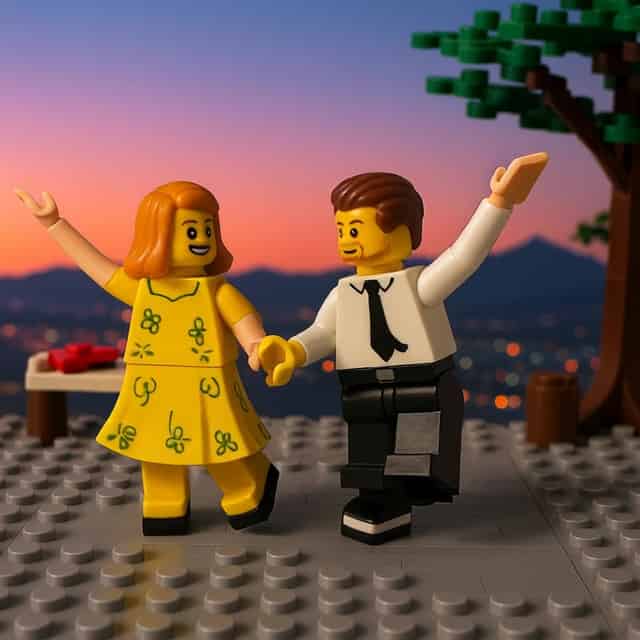
Animate Your LEGO Scene
Turn your LEGO image into a short animated clip. Upload a LEGO scene (or make one first with a LEGO generator) and the AI adds gentle stop-motion-style movement — minifigures shift and gesture, the camera drifts in — while keeping the brick aesthetic crisp. The payoff after the still: your LEGO build, in motion.
Prompt breakdown
Prompt used to generate this image.
Variants
Similar Prompts
Explore more
Prompts in this stylePart of a step-by-step guide
Animate Your LEGO Scene is one step in this guide, which walks you from your photo to a finished result.
Frequently asked questions
What is the Animate Your LEGO Scene video prompt?
The Animate Your LEGO Scene is a ready-to-run video prompt on PromptFrenzy. It's tuned for Seedance 2 Fast and produces consistent results without manual prompt engineering. Type your inputs, hit Generate, and the AI returns your result in roughly 30 to 90 seconds.
Can I customize the Animate Your LEGO Scene?
Yes — this prompt exposes 1 variable (subject) you can tune to your subject before running.
Does this prompt work with ChatGPT, Gemini, and Midjourney?
The default model for this prompt is Seedance 2 Fast. Most of our prompts can also be run against ChatGPT, Gemini, and Midjourney via the model picker — output quality varies by model, so it's worth comparing.
Is the Animate Your LEGO Scene free to use?
Yes. Generation is free for the first batch of credits on every account, and you can browse and copy any prompt without paying. Paid credits exist for power users running heavy volumes.
How do I get better results from this prompt?
Lean into the variables: be specific where the prompt expects a subject, mood, or style. Vague inputs ("nice", "cool") produce vague outputs. If a variable accepts an image, use a clean, well-lit reference. Run two or three variations and keep the best.